 PieFed
Appreciation Post for KATE
submitted by
edited
https://media.piefed.social/posts/gC/H2/gCH21pUBLdGJ3n8.png
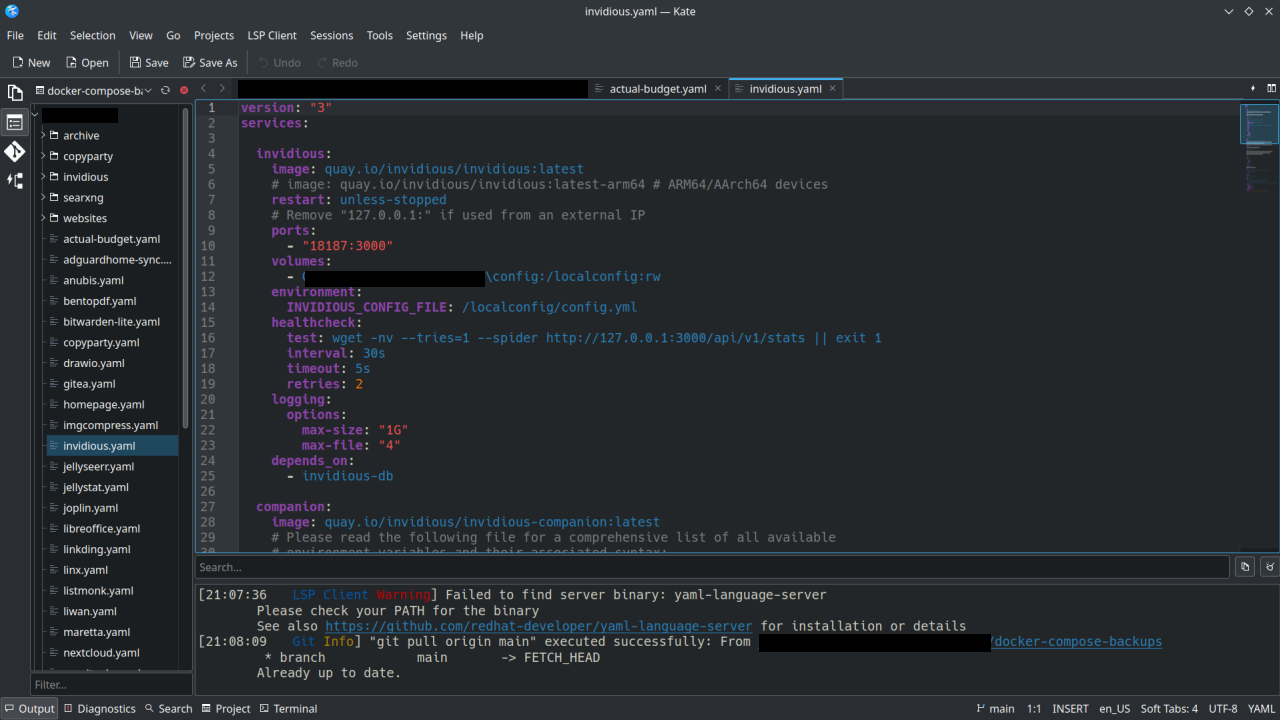
I have been using KDE via Kubuntu for about 2 years now, other distros with Gnome before that. Based upon the name (KDE Advanced Text Editor, K.A.T.E.) I always thought of Kate as an alternative to Notepad++ or something like that. Like a highend note-taking app.
I recently started using Kate for managing my Docker-Compose yaml files on my homelab, using the Git functionality to sync to my repos and doing some web development. It’s basically an alternative to VSCode or Codium.
Thanks to the devs who work on Kate . If you don’t hear it enough we appreciate you!
 Share on Mastodon
 Share on Reddit
 Share on WhatsApp
Have you tried using the Sessions feature in Kate? It allows you to pick up where you left off, even between multiple projects.
I haven’t! But the main advantage of the Notepad++ way is the files aren’t actually saved anywhere, it saves them temporarily until you choose where to properly save them. You can just keep opening new tabs and putting stuff in them and it remembers even if closed, but you don’t have to actually save them.
@Dave @yodeljunkmanenvy
Yup, the Sessions feature can do that for you. I do the same thing. #Kate #KDE #Linux
Oh shit you’re right, it does do that!
For others, here’s what I did: 1. Open Kate 2. Click the “Sessions” menu, then “Save session”. Give it a name. 3. Close Kate. 4. Open Kate, it prompts for which session you want. Click to open the session you just saved, but also click “Do not ask again”. 5. Open a new tab. Type something. Open another, type something else. Don’t even save, just close Kate. 6. Open it again, everything is where you left it!